
The Covered Calls Screener
The 0-DTE covered-call screener on the web — the same ideas the Pro Discord feed delivers, browsable and filterable.
What it is
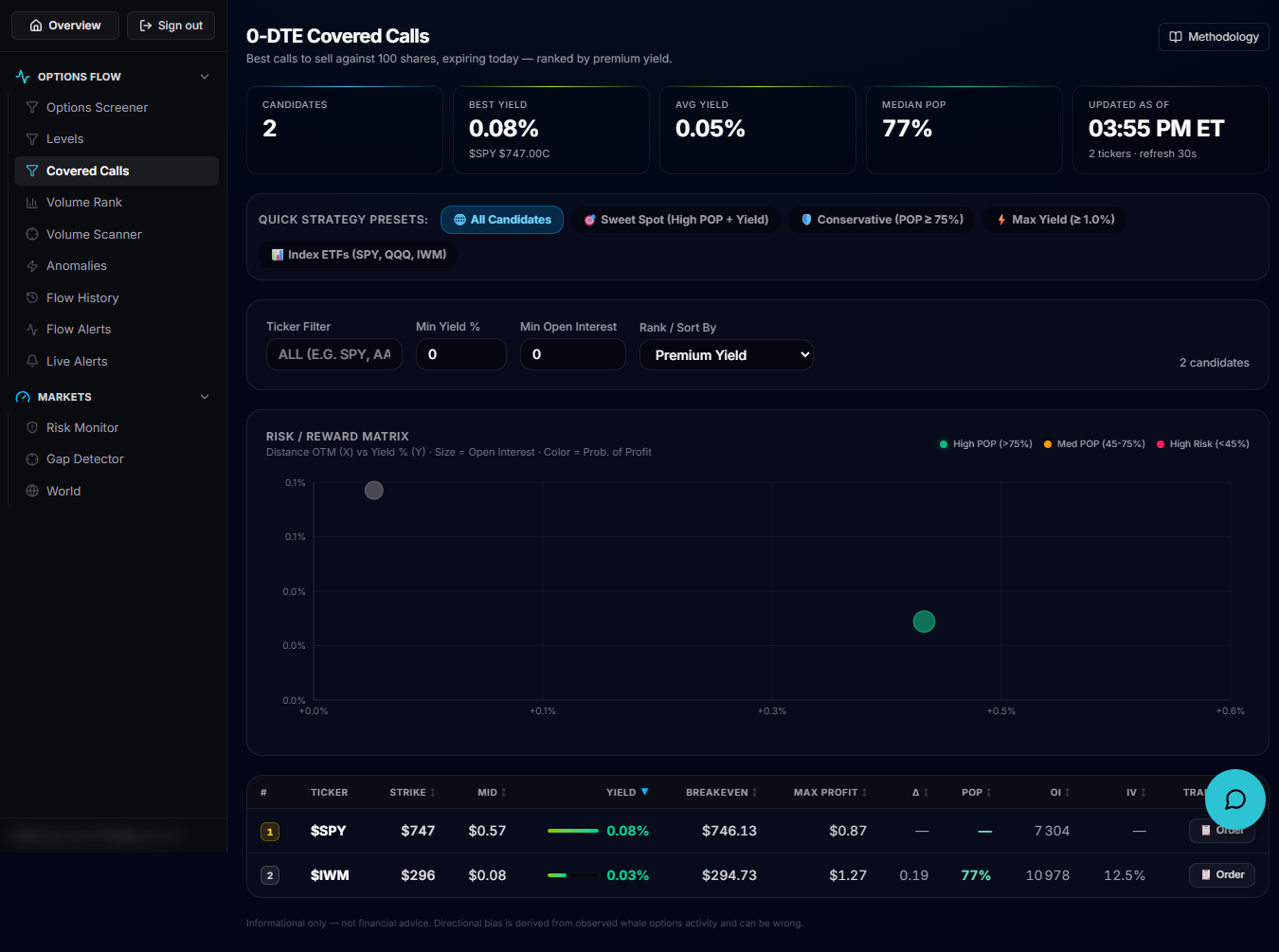
The Covered Calls screener finds the best calls to sell against 100 shares you already own, expiring today (0-DTE), ranked by premium yield. It's the same 0-DTE covered-call ideas the Pro Discord feed delivers, but browsable and filterable on the web.
Open it
Sign in and use the left rail to open Covered Calls, which loads at /account/covered-calls. It requires an active subscription; without one you see a "View plans" prompt instead of the screener.
Presets and filters
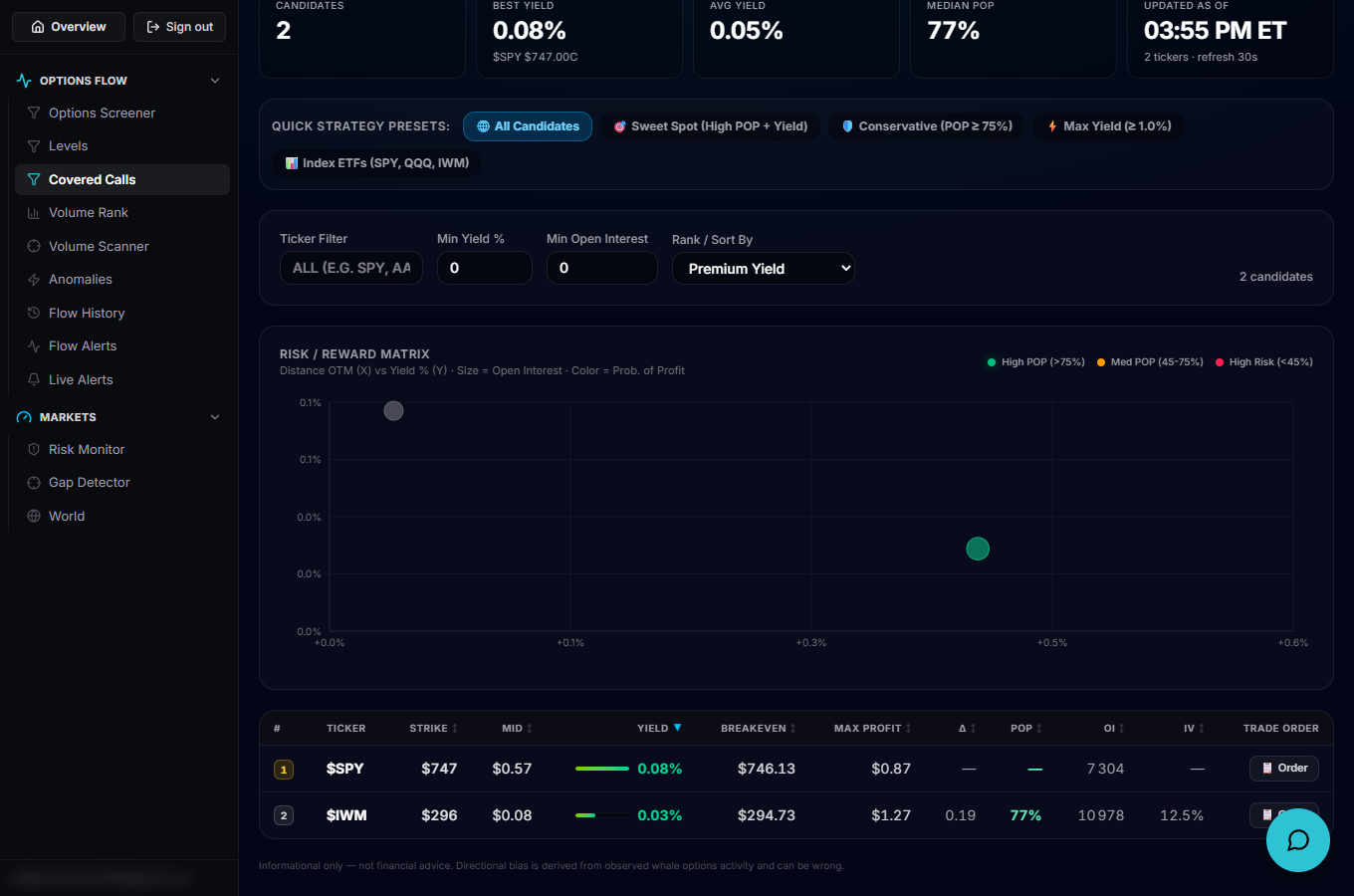
Quick Strategy preset buttons — All Candidates, Sweet Spot (high POP + yield), Conservative (POP ≥ 75%), Max Yield (≥ 1.0%) and Index ETFs (SPY, QQQ, IWM) — swap in a ready-made filter set with one click. Below them, a Ticker filter, Min Yield % and Min Open Interest fields narrow the list further, and a Rank/Sort By dropdown re-ranks by Premium Yield, Max Profit, Prob. of Profit, Delta, Open Interest or IV.
Reading the table
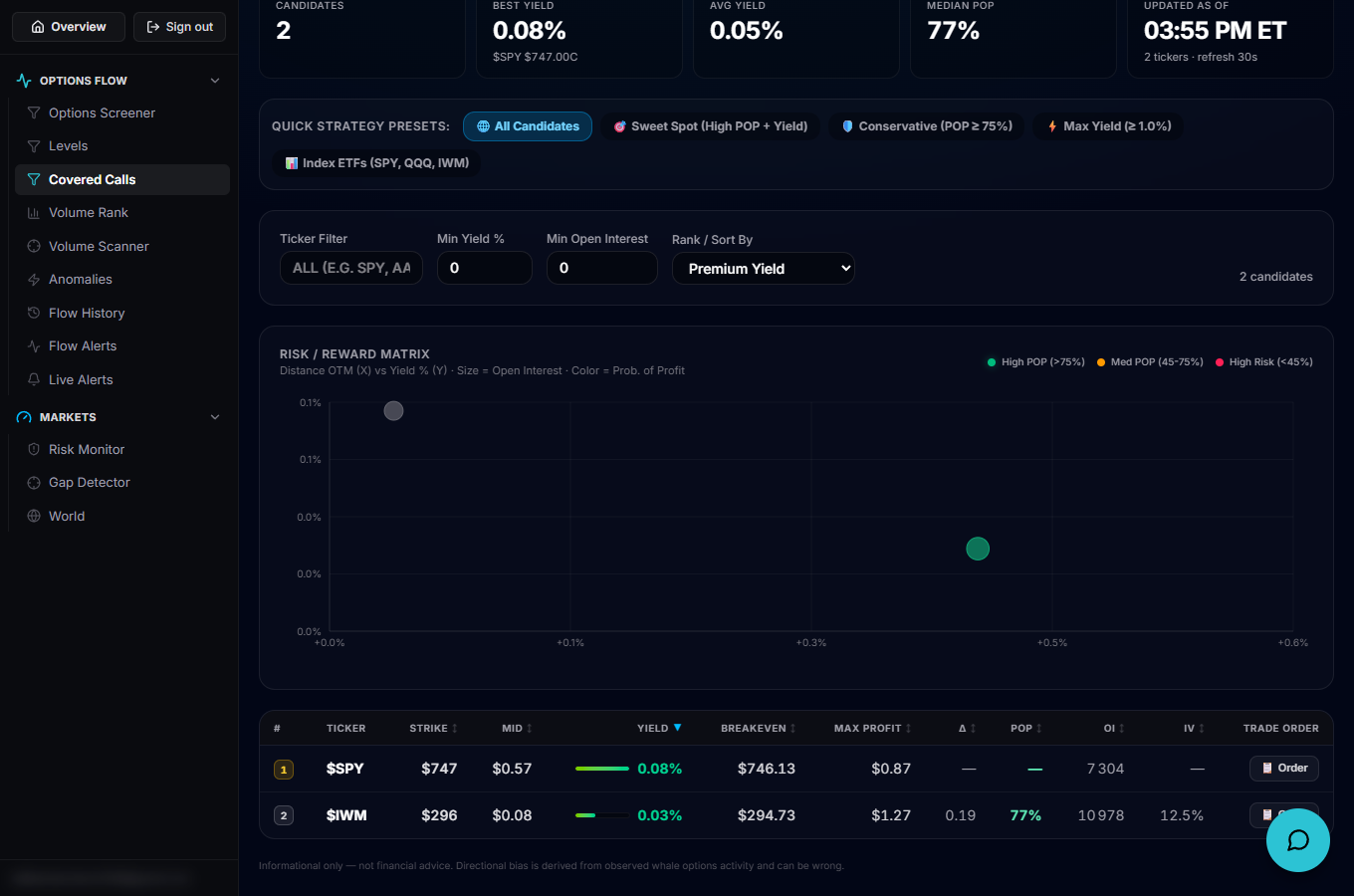
Each row is one candidate: Strike, Mid premium, Yield (with a bar showing it relative to the best yield visible), Breakeven, Max Profit, Delta, POP (probability of profit), Open Interest, IV, and an Order column with a button that copies a plain-text order leg (buy 100 shares + sell the call) to your clipboard. Above the table, stat tiles summarize Candidates, Best Yield, Avg Yield, Median POP and when the screener last updated (it refreshes every 30 seconds).
Go deeper
A Risk/Reward Map above the table plots yield against distance to strike (colored by POP, sized by open interest) — click a point or a row to select that candidate. Selecting one also opens a PnL Simulator drawer showing breakeven, downside buffer and three expiration scenarios (flat, +2%, −2%) with profit and return for each. The methodology drawer in the header explains exactly how yield, breakeven and POP are computed.
Put it to work
Start from the Sweet Spot or Conservative preset if you want to keep your shares more often, or Max Yield if you're comfortable risking assignment for a bigger premium. Use the PnL simulator on a candidate to see exactly what you keep if the stock is flat, and what you give up if it rallies past the strike, before deciding whether that trade-off suits the shares you hold.